
Wireless Mastery Premium Mentorship
Become the go‑to Wi‑Fi pentester on your team in the next 12 months.
Master real‑world WPA2/WPA3, enterprise, pivots, fuzzing and reporting with a done‑with‑you mentorship led by Toby Reynolds — the Wi‑Fi guy trusted by conferences, OWASP chapters and Hack The Box events.
No more feeling like Wi‑Fi is witchcraft. Get a clear lab, a proven methodology, and a mentor who actually answers your questions.
$599 • Lifetime access & updates • Bi‑weekly live coaching/Q&A
Taught by Toby Reynolds — professional pentester and security consultant since 2012, known in his community simply as “the Wi‑Fi guy”.
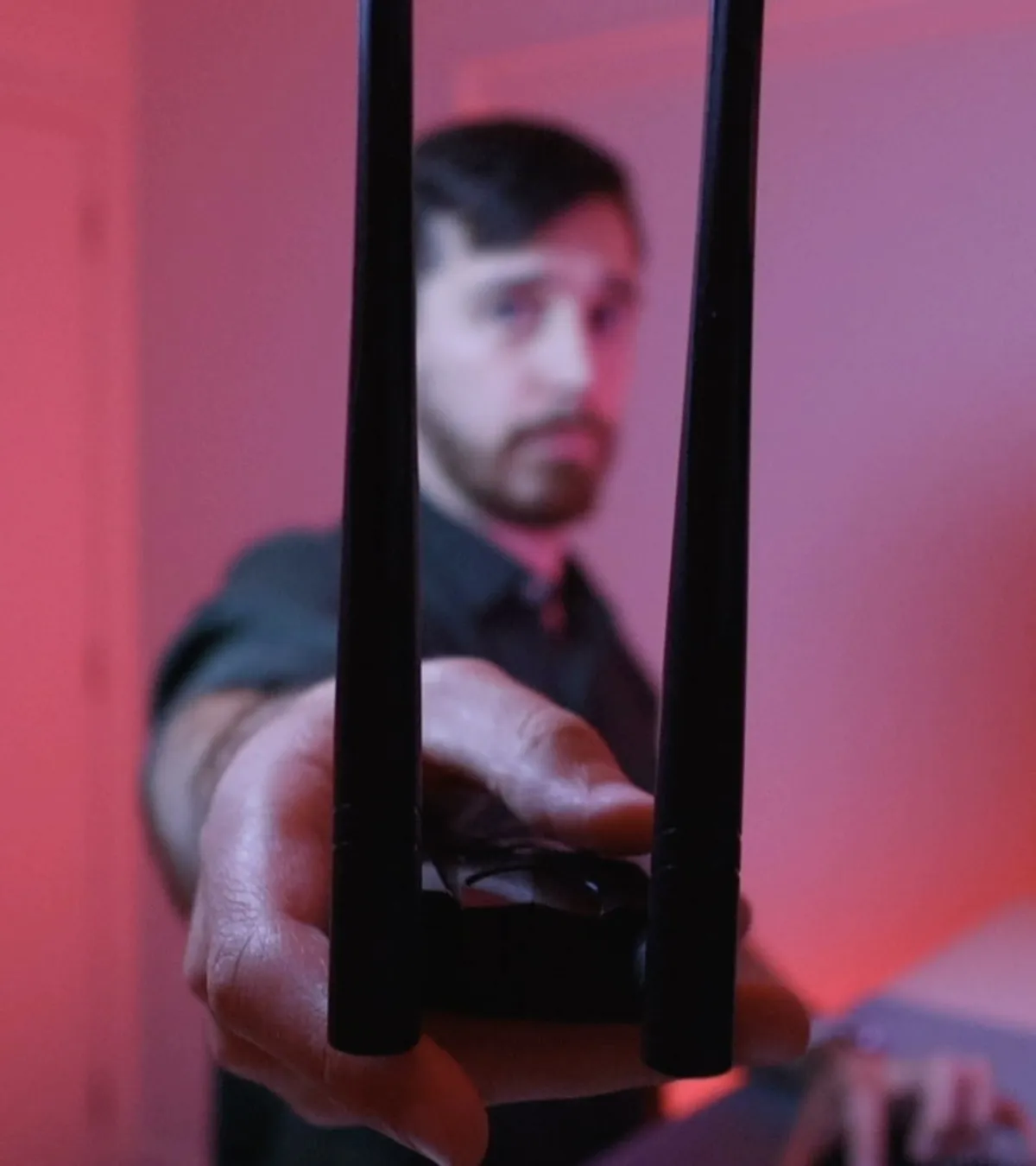
“If you haven’t learned something, I haven’t done my job.”
Over 13+ years of professional pentesting, wireless consulting and conference training, Toby has personally mentored ~300 students and built wireless testing capability for security teams.
Live trainings delivered for: OWASP NZ, Christchurch Con, Microsoft Teams sessions for enterprise clients, Hack The Box events in Auckland, Toronto, Wellington and more.
Toby has trained




Right now, Wi‑Fi probably feels like witchcraft.
If you’re like most aspiring or working pentesters I talk to, your wireless journey sounds something like this:
- You’ve bought cheap Udemy courses that stop at WEP and basic WPA handshake capture.
- You’ve binged YouTube on Evil Twin and deauths, but nothing feels like a cohesive methodology.
- You’ve heard OSWP and other wireless certs are outdated or hardware‑heavy, so you’ve parked them “for later”.
- You’ve jumped between Aircrack‑ng, Wifite, Bettercap, etc. and hit a brick wall every time something doesn’t “just work”.
- Every time Wi‑Fi is in scope, you feel your stomach drop.
And the worst part? It’s not for lack of effort. You’ve been grinding:
- “I feel stuck in learning mode.”
- “Wi‑Fi just feels like witchcraft.”
- “Every time I try a wireless attack, I hit a brick wall.”
- “I’m frustrated that passwords don’t fall like they do in tutorials.”
- “I feel like I’m drowning when it comes to Wi‑Fi.”
The hidden cost of staying stuck.
Career drag: peers with wireless skills leapfrog you into senior roles and better contracts.
Exam stress: practical style labs feel terrifying because your methodology is shaky.
Credibility hits: you dodge Wi‑Fi in scopes or stumble when a WPA3 Enterprise network appears.
Emotional toll: constant Googling, imposter syndrome and anxiety about being “the weak link”.
Real‑world risk: your clients’ Wi‑Fi remains a soft spot, TJX‑style, because no one on the team really owns it.
The #1 day‑to‑day pain I hear about? Wrestling with wireless adapters and monitor mode on Linux — drivers, firmware, random errors, and flags that tutorials quietly skip.
You don’t need another random video. You need a structured path, a modern methodology, and someone who’s actually doing this work today to walk you through it.
Fast‑forward 12 months: you’re the Wi‑Fi guru everyone calls.
Imagine Wi‑Fi showing up in scope and you feel calm, almost excited.
Professional wins
You confidently own enterprise Wi‑Fi engagements end‑to‑end.
You’re the “Wi‑Fi person” your team pings when things get weird.
You land better roles, promotions or consulting gigs because you cover a skill most teams lack.
You can walk into practical tests and exams feeling prepared instead of guessing.
Technical capability
- You can take a messy Wi‑Fi environment and methodically map, attack and report on it.
- You know exactly what to do when PMF blocks deauths or when WPA3 Enterprise is configured “properly”.
- You can demo complex attacks — from PMKID abuse to wireless pivots — without crossing your fingers.
- You have lab setups and scripts ready, instead of re‑Google‑ing commands mid‑engagement.
Life & confidence
- You stop doom‑scrolling tutorials and start running repeatable playbooks.
- You feel calm instead of panicked when a client adds Wi‑Fi to scope at the last minute.
- You’re no longer worried about being replaced by “the wireless person” — you are that person.
- You can provide more for your family with higher income and more stable opportunities.
From dyslexic island kid to “the Wi‑Fi guy”.
Hey, I’m Toby. I grew up on the small island of Guernsey. School and I didn’t get on — undiagnosed dyslexia, slow reading, terrible spelling. Computers made sense because they were logical: true/false, on/off.
I left school without qualifications. Dropped out. Tried college. Did badly. Then in 2011 I took the OSCP — finished in about 19 hours, passed first time. That flipped a switch: maybe I wasn’t “bad at learning”, I just needed the right medium.
It still took ~7 years from first interest in pentesting to my first job — and a big life leap from Guernsey to London. I was the oversharing consultant who treated clients like professional friends; some London firms hated that, my NZ boss loved it. That got me promoted quickly and put me in positions where I could build things, not just follow checklists.
I’ve always taught what I was learning: early exploit‑dev videos around 2011–2012, co‑founding the nullsecurity team, being invited to hacker meetups like BerlinSides. My first proper workshop was BSides London 2014 — 1‑hour live exploit‑dev, ~20 people, hands shaking. It went well, and I realised I love teaching as much as hacking.
Around 2019 I doubled‑down on wireless. I became the wireless penetration testing services lead at my previous company, built their internal Wi‑Fi testing capability, created methodology and trained staff. Since then I’ve delivered 4+ hour wireless trainings repeatedly — for internal teams, Christchurch Con, OWASP NZ, Microsoft Teams sessions and local meetups.

At Christchurch Con I went back on stage with a talk on wireless pivots in front of ~300 people and picked up the Best New Speaker award. These days, at Hack The Box events in Auckland, Toronto and Wellington, people just call me “the Wi‑Fi guy”.
Across employers, conferences and cohorts I’ve taught roughly 300 students, with 30+ currently in my mentorship program. My ethic is simple:
“If you haven’t learned something during this training, I haven’t done my job.”
Wireless Mastery Premium is the mentorship I wish I’d had when I was drowning in half‑baked tutorials and outdated books.
Program Overview
Wireless Mastery Premium is a done‑with‑you path to real wireless expertise.
This isn’t another set of one‑and‑done videos. It’s a mentorship program designed to take you from “I can capture a handshake on my home router” to confidently testing modern enterprise Wi‑Fi in the real world.
- Self‑paced core curriculum, including everything from the Wireless Novice→Professional training.
- Deeper, extended modules on enterprise, pivots, fuzzing and consulting practice.
- Bi‑weekly live coaching/Q&A calls (recorded) so you always have somewhere to bring stuck points.
- Lifetime access and lifetime updates as Wi‑Fi 6/7/8, WPA3‑EAP changes and new attacks emerge.
- Practical virtual labs so you can start without expensive hardware and add gear when it makes sense.
The goal: make this the last Wi‑Fi course you ever need to buy.
How it works in practice:
- Watch a focused module and implement the lab in your environment.
- Use the mind map and methodology checklists to decide what to try next.
- Bring your questions, errors and screenshots to the live calls.
- Ship actual wireless reports instead of half‑finished lab notes.
You’re not doing this alone. You’re building wireless capability with someone who’s actively testing and teaching it.
Curriculum Highlights
From first adapter to advanced wireless pivots.
You get everything from the Wireless Novice→Professional training plus deeper, expert‑level modules. Here’s the high‑level map (pun intended):
1. Get your lab actually working
- Exactly which adapters and antennas you actually need — and which specs matter.
- Drivers, firmware and monitor mode without the usual Linux pain.
- Emulated wireless adapters with mac80211_hwsim so you can build multi‑AP, client, attacker and monitor setups virtually.
- Lab topologies that mirror real environments, not just “one router, one client”.
- A repeatable process for going from “fresh VM” to “ready to test Wi‑Fi” without losing a weekend.
2. Read the air like a pro
- Fundamentals of 802.11 frames: beacons, probes, association/authorization — with captures that actually make sense.
- Using airodump‑ng and Wireshark together to build a mental model of what’s happening, not just collect packets.
- Identifying broadcast, non‑broadcast and fully hidden SSIDs — and practical techniques to reveal them.
- Mapping out nearby networks, clients and relationships so your attacks are strategic, not random.
- Mind map‑driven decision making: given what you see on air, what’s the next smart thing to try?
3. Crack WPA2/3 personal the modern way
- End‑to‑end attacks on WPA2 and WPA3 personal with and without easy deauths.
- Handshakes, PMKID attacks and fast transition (FT) scenarios, with concrete command chains.
- Attacking when you only see a client: rogue APs, capturing PTKs and turning “no AP access” into an opportunity.
- Dealing with slow or failed cracking: wordlists, rules, and how to set realistic expectations for passwords.
- Why “WPA3 doesn’t crack” in tutorials — and what you can actually do in the field.
4. Own enterprise Wi‑Fi like a consultant
- Deep dives into EAP‑TTLS, PEAP, LEAP, EAP‑MD5 and friends: what the diagrams mean for actual attacks.
- Rogue AP and evil twin strategies with self‑signed and Let’s Encrypt certs that users actually click through.
- How to map misconfigurations to realistic risks, not just “we got a shell once”.
- Handling Protected Management Frames (PMF) when classic deauth fails — jamming/disruption strategies where legal, plus alternative footholds.
- Reporting like a grown‑up: documenting findings, impact and fixes in a way that gets taken seriously.
5. Pivot, fuzz and push the edge
- Wireless pivoting: abusing roaming, fast transition and client probes to bypass “strong” enterprise setups via insecure networks clients still remember.
- Legacy but still‑relevant attacks: WEP, WPS and where they still show up in real assessments.
- Wireless fuzzing and protocol abuse: how to explore attack surface safely and sanely.
- Documenting pivots and fuzzing outcomes in a way that clients (and legal) can handle.
- How to keep your wireless knowledge current as Wi‑Fi 6/7/8 and new standards land.
6. Reporting, consulting & real‑world practice
- How to turn raw captures, notes and screenshots into a coherent wireless pentest report.
- Communicating risk to clients without hand‑wavy jargon or scare tactics.
- Using templates (included) for statements of work and reports to save hours per engagement.
- How to scope, price and position wireless work alongside the rest of your pentesting services.
- What to log, what to throw away and how to protect clients while still learning aggressively.
Bonuses & Support
You’re not just buying videos. You’re buying a wireless upgrade path.
Here’s what comes with Wireless Mastery Premium beyond the core curriculum:
- Bi‑weekly live coaching/Q&A calls — Recorded sessions where we cover new vulnerabilities, wireless developments, roadmap updates and deep‑dive answers to student questions.
- Lifetime updates — As standards like Wi‑Fi 6/7/8 and 802.11be hit the real world, the course evolves with them. No re‑buying the same content every few years.
- PentesterLab Pro student discount — Save money on complementary hands‑on labs through Toby’s partnership.
- Templates library — Penetration test report templates, statements of work and other docs so you don’t write everything from scratch.
- All free materials bundled — Including the Wi‑Fi mind map and other cheat‑sheets, expanded and kept up‑to‑date.
- Behind‑the‑scenes transparency — Real tools, methods and “secrets” Toby uses on engagements. No black‑box magic, no held‑back tricks.
Result: you’re not scrambling alone with Stack Overflow threads at 2am. You have a mentor, a system and a reference library built for working security professionals.
Why this vs everything else?
Premium mentorship without SANS‑level pricing.
You have options: SANS, OffSec OSWP, Hack The Box CWPE, PentesterAcademy/INE bootcamps, random Udemy courses, books, YouTube, lab platforms. Most fall into one of three buckets:
High‑ticket bootcamps (SANS, etc.)
- Often $5,000–$7,000+ for a single run.
- Great content, but fixed dates and massive time blocks.
- You get slides and labs, but no long‑term mentorship.
- You’re unlikely to get one‑to‑one attention on your weird edge‑case errors a year later.
Cheap courses & random tutorials
- Cover basics like WEP and simple WPA, then stop before things get interesting.
- Often outdated, with weak virtual labs and heavy hardware assumptions.
- No methodology that ties tools together into a repeatable process.
- No one to ask when the commands in the video don’t match your reality.
Wireless Mastery Premium
- $599 one‑time — less than the tax on some SANS courses.
- Deep, modern wireless focus: WPA3, enterprise, pivots, fuzzing and real consulting practice.
- Mentorship + community feel via bi‑weekly calls, not just a content dump.
- Virtual labs first, so you can get moving before buying hardware.
- Lifetime updates so you’re not buying “Wireless 2.0”, “3.0”, “4.0” every few years.
Before & After
From “drowning in Wi‑Fi” to calm, respected operator.
Before Wireless Mastery Premium
- Wi‑Fi feels like witchcraft; every attack hits a brick wall somewhere in the toolchain.
- You bounce between five tutorials for every engagement, hoping one matches your setup.
- You quietly hope clients don’t ask for wireless in scope.
- You feel like an “incomplete” pentester, strong on web/app but shaky on radio.
- You’re constantly Googling “why WPA3 doesn’t crack” at 1am.
- You don’t have a single, trusted mind map or methodology to lean on.
After Wireless Mastery Premium
- Wi‑Fi feels like another domain you own — like web, AD or cloud — not a special kind of chaos.
- You have a clear mind map and methodology for personal, enterprise, pivots and weird edge cases.
- Client scope includes wireless and you think: “Good, that’s where we can add real value.”
- You’ve shipped real wireless reports and can explain your findings calmly in debriefs.
- Your team and community see you as the person to talk to about wireless.
- You have a mentor and a set of recordings you can revisit whenever you forget a detail.
Choose your starting point
Start small or go all‑in on mentorship.
Wireless Mastery Premium is the main offer. The Wireless Novice→Professional recorded cohort is there if you want a smaller first step — with the Premium if you love it.
Questions, answered.
Is Wireless Mastery Premium a fit for you?
If you’re in IT, SOC, pentesting, red teaming or network engineering and want to be genuinely good at wireless, the answer is probably yes. Here are the most common questions I get:
I don’t have much time. How heavy is the workload?
The content is modular and on‑demand. You can treat it like a Netflix series: one focused module, one lab at a time. Most students work through it alongside a full‑time job. The difference vs. random Googling is that you’re following a path — so every hour is moving you forward instead of resetting context.
Is $599 really worth it compared to cheaper courses?
If you just want to tick a checkbox, go cheap. If you want to actually *use* wireless in client work or exams, you need depth, labs and someone to ask when things break. $599 is a one‑time fee that can pay for itself with a single promotion, a small rate increase, or one wireless‑heavy engagement. And you get lifetime updates instead of buying a new wireless course every few years.
What if I’m not super advanced yet?
That’s fine. If you’re comfortable with basic Linux and have some security context (SOC, IT, junior pentester), you’re good. I walk you through labs step‑by‑step, but I deliberately make you fill in values and think through parameters so you build understanding, not just muscle‑memory copying commands.
Isn’t wireless pentesting too niche to focus on?
Enterprise Wi‑Fi is everywhere: offices, warehouses, healthcare, retail, manufacturing. A significant chunk of serious pentests now include wireless in scope, and many teams quietly don’t have anyone who really owns it. Being the person who *does* is a career asset, not a niche trap.
I already bought other wireless courses. Do I really need this?
If those courses gave you a cohesive methodology for WPA2/3 personal + enterprise, rogue APs, pivots, PMF handling, fuzzing and reporting — with modern labs and a mentor — then maybe not. But most students come to Wireless Mastery Premium specifically because what they bought was shallow, outdated or left big gaps when facing real enterprise setups.
Do I need expensive hardware to start?
No. We begin with emulated labs using mac80211_hwsim so you can learn the concepts and tooling without spending a cent on adapters. When you’re ready for hardware, I give specific, affordable recommendations and show you exactly how to get them working.
Free mind map
Grab the Wi‑Fi Pentesting Mind Map and get your first small win.
Inspired by Orange Cyberdefense’s AD mind map, this PDF gives you a visual flowchart / decision tree for real‑world Wi‑Fi attacks and troubleshooting.
- Recommended adapters/modes and exact commands for monitor mode, fixing drivers and common errors.
- Scanning workflows with airodump‑ng and Wireshark, including how to interpret beacon frames and probe requests.
- Decision trees for WPA2 personal (AP present vs. client‑only), PMKID abuse and fast transition.
- Enterprise attack paths based on EAP method, plus rogue AP + certificate tricks.
- Wireless pivoting routes for well‑configured enterprise networks, and what to do when PMF blocks classic deauth.
- Concrete commands and flags with blanks to fill in — so you think, not just copy‑paste.
Use it as your first structured win — then, if you like how it feels, step into the full mentorship.
Get the Wi‑Fi Pentesting Mind Map (PDF)
Drop your email below and I’ll send you the mind map plus a short breakdown on how to use it effectively in your next lab session.
No spam, no fluff — just practical wireless content. You can unsubscribe any time.
Ready to stop fighting Wi‑Fi and start owning it?
Join Wireless Mastery Premium and give yourself 12 months to become the Wi‑Fi expert your team, clients and community rely on — with mentorship, labs and lifetime updates backing you up.
$599 • Lifetime access & updates • Bi‑weekly coaching/Q&A calls • Modern wireless focus (WPA2/3, enterprise, pivots, fuzzing)
Copyrights 2026 | Thexero Training Academy™ | Terms & Conditions